
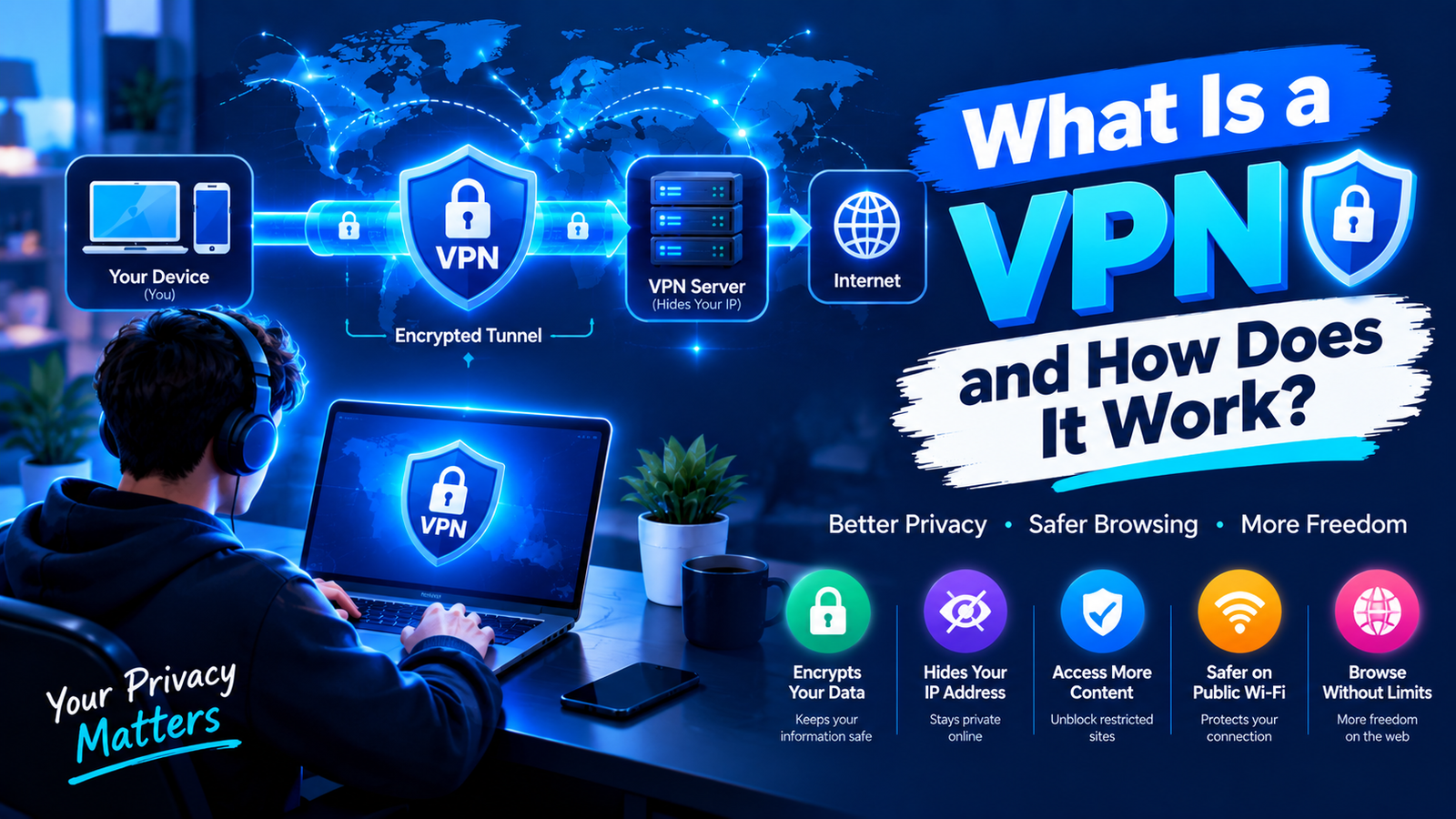
A VPN, or virtual private network, is an app that encrypts everything your device sends to the internet and routes it through a server run by the VPN company. Websites see that server’s IP address instead of yours, and your internet provider sees one encrypted connection instead of a list of the sites you visited.
That is the entire concept. The detail is where most explanations go wrong, so it’s worth walking through slowly especially in the US, where VPNs stopped being a niche security tool somewhere around 2025 and became a mainstream one.
How a VPN works, step by step
Without a VPN, loading a page is simple. Your request goes from your laptop to your internet service provider, and the ISP passes it to the website’s server. Your ISP sees every domain you ask for. On coffeeshop WiFi, so can anyone else on that network with the patience to look.
Switch a VPN on and five things happen instead.
- Authentication. The app connects to a server you choose Dallas, Frankfurt, wherever and confirms you’re a paying subscriber.
- Encryption. Before anything leaves your device, the app scrambles it with a cipher such as AES-256 or ChaCha20. To anything watching the wire, it’s noise.
- Tunneling. That scrambled data travels to the VPN server inside what the industry calls a tunnel. Your ISP can see you’re talking to that server. It can’t see what you’re saying.
- Exit. The VPN server decrypts your request and forwards it to the website using its own IP address. As far as the site is concerned, the visitor is in Dallas.
- The return trip. The site replies to the VPN server, which encrypts the response and sends it back down the tunnel. Your app decrypts it, and the page loads.
All of this takes milliseconds, but it isn’t free. You’re adding a detour, so expect to lose speed a little on a nearby server, considerably more on one halfway around the world. Any provider promising zero slowdown is selling something.
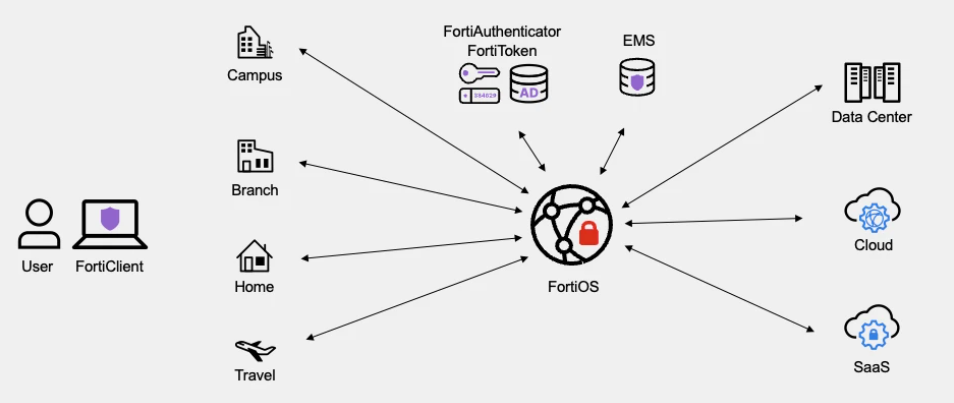
What a VPN hides, and what it doesn’t
This is the part the marketing skips, and it’s the part that decides whether a VPN is worth your money.
A VPN does hide your real IP address and rough location from the sites you visit. It hides which sites you’re visiting from your ISP, your employer’s network, and whoever runs the airport WiFi. It protects any unencrypted traffic while it crosses a shared network.
A VPN does not make you anonymous. If you sign into Gmail through a VPN, Google still knows exactly who you are. It doesn’t stop cookies or browser fingerprinting, which identify you by your device’s configuration rather than your address. It isn’t antivirus download something malicious and the VPN will carry it along faithfully. And it doesn’t remove surveillance so much as move it: you’ve taken visibility away from your ISP and handed it to the VPN company, which is why the provider you choose matters more than any feature on the box.
The protocols, in thirty seconds
Protocols are the rulebooks that govern how the tunnel is built. Three are worth knowing.
- WireGuard is the modern default. Small codebase, fast, and what most apps now select automatically.
- OpenVPN is older and slower, but it’s been audited to death and tends to survive restrictive networks that block newer traffic.
- IKEv2/IPsec handles switching between WiFi and cellular gracefully, which makes it a sensible choice on phones.
If an app still offers PPTP or L2TP, ignore both. They’re decades past their useful life.
Why VPN use in the US climbed so sharply
Americans used to buy VPNs for public Wi-Fi and Netflix libraries. That changed with state legislation. Security.org’s annual consumer survey found 42% of Americans using a VPN on personal or work devices in 2026, up from 32% the year before, with personal-only use accounting for most of the jump.
The driver is age verification. Between 2022 and 2026, at least 25 states passed laws requiring identity checks before people can reach adult sites or, in some cases, social platforms. The response has been immediate and measurable every time: VPN usage in Florida spiked roughly 1,150% within four hours of its HB3 law taking effect.
Legislators noticed. Utah’s Senate Bill 73 took effect on September 3, 2026, making it the first US law to address VPN use directly in an age verification context. Under it, a Salt Lake City resident connecting through a server in Germany is still a Utah user in the eyes of the law, and the website remains responsible for verifying their age. Adult sites are also barred from publishing instructions on using a VPN to get around the state’s age gates.
Nothing in that law bans VPNs or penalizes people who use them, and major providers have said they won’t change how their services operate in Utah. But more than two dozen states have similar laws in force or under consideration, so it’s reasonable to expect the geo-location arms race to keep escalating.
Are VPNs legal in the United States?
Yes. Using one is lawful in all fifty states, and plenty of employers require one.
Two caveats are worth stating plainly. A VPN doesn’t change the legality of what you do through it piracy is still piracy. And breaking a service’s terms of use, such as watching a streaming library meant for another country, is a contract matter between you and that company, not a criminal one. The usual consequence is a blocked connection, not a court date.
When a VPN is genuinely worth it
There are four situations where I’d call one a straightforward win.
You use public WiFi regularly. You want to keep your browsing away from an ISP that’s legally permitted to monetize it in the US that has been the case since Congress repealed the FCC’s broadband privacy rules in 2017. You travel or work remotely and need to reach services from a consistent location. Or your ISP throttles specific traffic, such as video or peer-to-peer, which encryption can sometimes hide.
The weaker cases are worth naming too. At home on your own network, with HTTPS covering most of what you do, the security gain is real but modest. If you’re after genuine anonymity, a VPN alone won’t get you there. And gamers hoping for lower ping usually end up with higher ping, because you’ve added a stop that wasn’t there before.
Five things to check before you pay
- An independent audit within the last two years. A no-logs claim that nobody has verified is a marketing line.
- Jurisdiction and ownership. Know which country’s courts can compel the company, and who actually owns it this industry consolidates quickly.
- RAM-only servers. Diskless infrastructure means a seized server holds nothing.
- A kill switch that’s on by default. It cuts your connection if the tunnel drops, which is the moment leaks happen.
- The renewal price, not the introductory one. A $2.99 first year that becomes $12.99 is the norm, not the exception.
Looking for more technology and cybersecurity guides? Explore Ninja Refinery for practical, easy-to-understand guides on VPNs, AI, gaming, and the latest technology.