
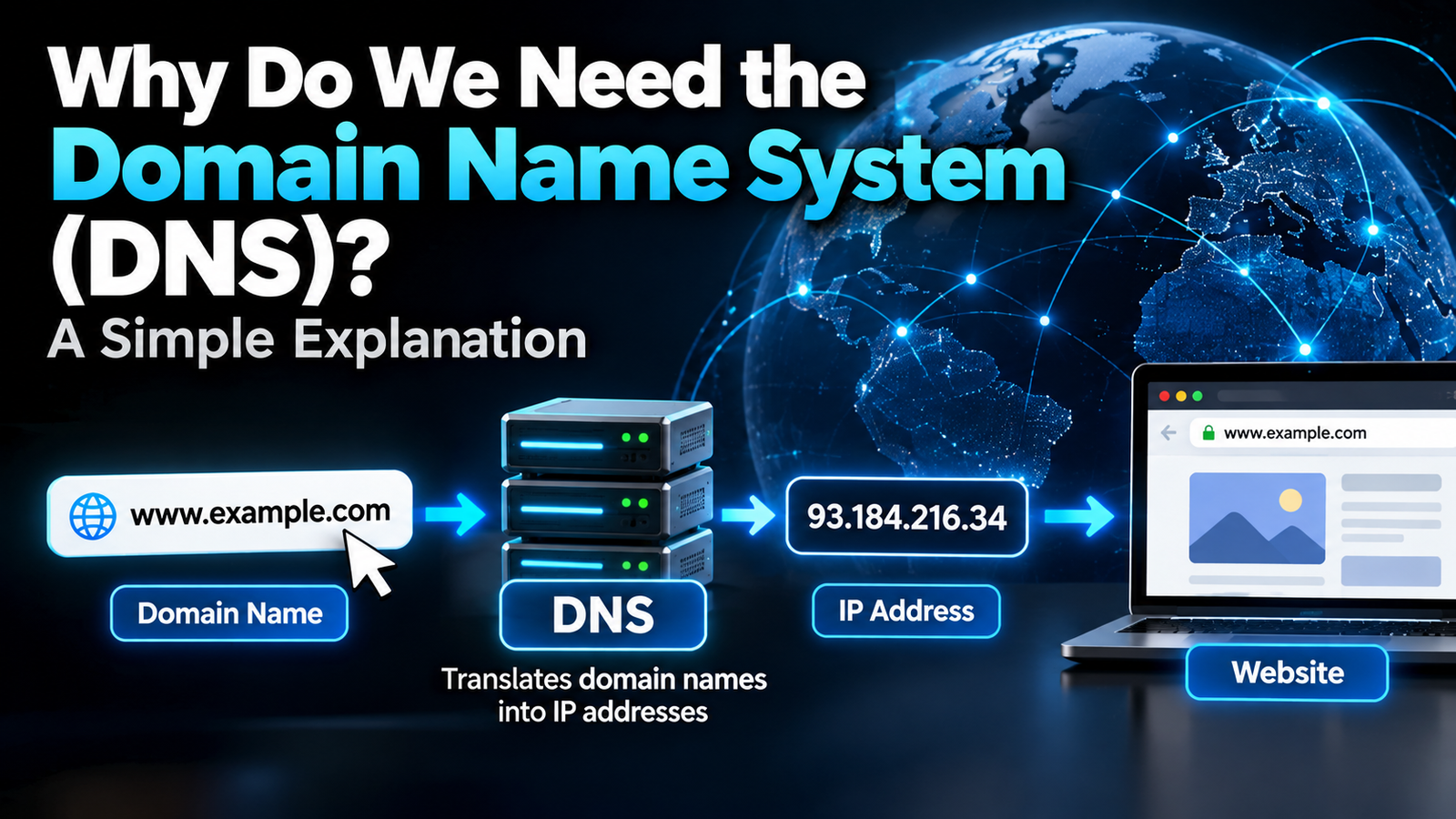
We need the Domain Name System (DNS) because computers find each other using numeric IP addresses, but people remember names. DNS acts as the internet’s phone book: when you type a name like example.com, DNS looks up the matching IP address so your browser knows which server to contact. Without it, you would have to memorise strings of numbers for every website, and many websites would break whenever their servers moved.
Below is a plain-English look at what DNS does, the step-by-step lookup that happens in milliseconds every time you open a site, and why DNS matters for speed, reliability, email and privacy.
What DNS Actually Does
Every device on the internet has an IP address, such as 203.0.113.10 (IPv4) or a much longer IPv6 address. DNS keeps a huge, distributed directory that maps human-friendly domain names to those addresses, along with other information such as where a domain’s email should be delivered. Cloudflare’s guide to what DNS is is an excellent visual reference if you want to go deeper.
6 Reasons We Need the Domain Name System
1. Names are easier to remember than numbers
Remembering “wikipedia.org” is easy. Remembering several IP addresses for every site you visit would be impossible for most people.
2. IP addresses change, names do not
Companies move servers, switch hosting providers and add data centres all the time. With DNS, they update a record and visitors keep using the same name without noticing anything changed.
3. One name can point to many servers
Big websites spread traffic across many servers around the world. DNS can return different addresses to different users, sending you to a nearby or less busy server. That is a key part of how content delivery networks keep sites fast.
4. Email depends on it
Special DNS records called MX records tell mail servers where to deliver email for a domain. Other records (SPF, DKIM and DMARC) help prove that an email really came from that domain, which fights spam and phishing.
5. It makes the internet scalable
No single computer could hold every domain on the internet. DNS splits the work across millions of servers in a hierarchy, so it keeps working as the internet grows.
6. It powers many security and privacy tools
DNS filtering can block malware and phishing domains before your device even connects, and encrypted DNS stops people on your network from seeing which sites you look up.
How a DNS Lookup Works, Step by Step
- You type a domain into your browser, for example www.example.com.
- Your device checks its cache. If it looked up the name recently, it uses the saved answer.
- A recursive resolver takes over. This is usually run by your internet provider, or by a public service such as Google (8.8.8.8) or Cloudflare (1.1.1.1).
- The resolver asks a root server, which points it to the servers for the top-level domain (.com).
- The .com servers point to the authoritative name server for example.com.
- The authoritative server returns the IP address.
- The resolver passes the answer back and caches it for a set time (the TTL), and your browser connects to the server.
All of this usually takes a few milliseconds, and caching means most lookups never go past step 2 or 3.
Common DNS Record Types
| Record | What it does |
|---|---|
| A | Points a name to an IPv4 address |
| AAAA | Points a name to an IPv6 address |
| CNAME | Makes one name an alias of another |
| MX | Says which servers receive the domain’s email |
| TXT | Holds text, often used for email authentication and domain verification |
| NS | Lists the authoritative name servers for the domain |
What Happens When DNS Fails?
If DNS stops working, websites fail to load even though your internet connection is fine, and you see errors like “DNS_PROBE_FINISHED_NXDOMAIN” or “Server not found.” Major outages at large DNS providers have taken popular websites offline for hours, which shows how central DNS is. Quick fixes include restarting your router, flushing your DNS cache or switching to a public resolver.
DNS, Privacy and VPNs
Traditional DNS lookups are sent unencrypted, so your internet provider or anyone on public Wi-Fi can see which domains you visit. Encrypted DNS fixes this, and a good VPN routes DNS through its own servers. Learn more in our guides to secure DNS, how a VPN works and iCloud Private Relay vs a VPN. If you are curious how sites route traffic behind the scenes, our explainer on reverse proxies is a natural next read.
DNS FAQ
What is DNS in simple words?
DNS is the internet’s phone book. It converts website names into the IP addresses computers use to connect.
Why is DNS important?
Without DNS you would need to know the IP address of every site, and websites could not move servers or spread traffic without breaking links.
Who runs DNS?
DNS is distributed. Root servers are operated by a group of organisations, top-level domains are run by registries, and individual domains use their own or their host’s name servers.
Can I change my DNS server?
Yes. You can switch to a public resolver such as Cloudflare (1.1.1.1) or Google (8.8.8.8) in your router or device network settings.
Does DNS affect internet speed?
DNS affects how quickly a site starts loading, not your download speed. A faster resolver can make browsing feel snappier.